
Imagine pulling out a paper business card at a networking event, only to watch it get tossed into a bag with dozens of others — never to be seen again. Now imagine instead tapping your phone to someone else’s and instantly sharing your contact details, portfolio, social media, and booking link all at once. That’s the power of a digital business card, and it’s changing the way professionals connect in a fast-moving world.
Whether you’re a freelancer, entrepreneur, corporate executive, or small business owner, having the right digital business card can be the difference between a forgotten handshake and a lasting professional relationship. But not all digital business cards are built the same. Some are sleek and feature-rich, while others are barely more than a clickable PDF. So how do you choose the right one?
Let’s walk through the top features you should look for before committing to a platform — and why each one matters more than you might think.
A Clean, Customizable Design Interface
First impressions still count, even in the digital world. Your digital business card is often the first thing a new contact sees, so it needs to reflect your personal brand or company identity clearly and professionally.
Look for platforms that offer drag-and-drop editors, custom color schemes, logo uploads, and font options. The best tools let you build a card that feels uniquely yours without requiring any design experience. Platforms like HiHello, Blinq, and Popl have made this incredibly user-friendly. Whether you prefer minimalist layouts or bold, colorful designs, your card should communicate who you are before someone even reads your name.
NFC and QR Code Sharing
One of the biggest advantages of a digital business card over a paper one is how effortlessly it can be shared. Two of the most powerful sharing methods are NFC (Near Field Communication) technology and QR codes.
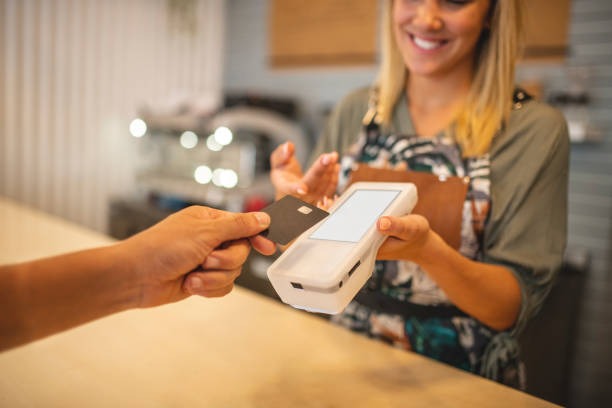
NFC allows you to tap your card or device against someone else’s phone to instantly transfer your information — no app required on their end. QR codes, on the other hand, can be scanned with any smartphone camera, making them universally accessible. A good digital business card platform should support both methods, along with shareable links via email, text message, and social media. The more sharing options available, the fewer networking opportunities you’ll miss.
Real-Time Contact Information Updates
This is one of the most underrated features — and one of the most valuable. With a paper card, once it’s printed, any change means reprinting hundreds of copies. A digital business card solves this completely.
Look for a platform that lets you update your phone number, job title, email address, or company name instantly, with the changes reflected on every card you’ve ever shared. This is especially important for professionals who change roles often or freelancers who pivot between projects. Real-time editing ensures that every contact always has your most current information without you having to reach out and correct anything manually.
CRM Integration and Contact Management
Networking isn’t just about sharing your info — it’s about building and maintaining relationships over time. That’s why CRM (Customer Relationship Management) integration is a must-have feature for serious professionals.
The best digital business card platforms connect directly with tools like HubSpot, Salesforce, Zoho CRM, and Google Contacts. When someone scans your card or fills out a lead capture form, their information can automatically flow into your CRM system. This eliminates manual data entry, reduces errors, and ensures no lead ever slips through the cracks. If you’re running a sales team or growing a client base, this feature alone can justify the cost of a premium plan.
Analytics and Engagement Tracking
How many people actually viewed your card last week? Did anyone click your LinkedIn profile or your website link? With a paper card, you’d never know. With a digital business card, you can track all of this and more.
Analytics features typically include view counts, click-through rates on specific links, geographic data, and device type breakdowns. This data helps you understand which networking efforts are actually converting and which ones need improvement. It also helps you refine how you present yourself online. Platforms like Dot and Mobilo offer detailed dashboards where you can see your card’s performance in real time, making your networking strategy much smarter and more intentional.
Multiple Card Profiles
Not everyone you meet needs the same version of you. A recruiter might want your resume and LinkedIn. A potential client might want your portfolio and scheduling link. A fellow industry peer might just need your email and phone number.
That’s why the ability to create multiple card profiles under one account is such a powerful feature. You can have a sales-focused version of your card, a creative version, and a personal networking version — all managed from one dashboard. This level of flexibility is particularly useful for entrepreneurs who operate in multiple industries, or professionals who attend both formal conferences and casual community events.
Lead Capture and Forms
Beyond just sharing your information, a great digital business card should also help you collect information from others. Lead capture forms built directly into your card allow new contacts to enter their name, email, and phone number right on the spot.
This is especially useful at trade shows, conferences, and networking events where swapping contact details manually can be chaotic. Instead of fumbling with paper forms or trusting that someone will follow up, you get their information delivered directly to your inbox or CRM. Some platforms even allow custom fields, so you can ask specific questions relevant to your business or industry.
Social Media and Link Integration
Your digital business card should be more than just your name and phone number — it should be a gateway to your entire online presence. Make sure the platform allows you to embed links to your LinkedIn, Instagram, Twitter/X, YouTube channel, Calendly booking page, personal website, and even your latest portfolio or case studies.
The best cards present these links in a clean, tappable format that’s easy to navigate on mobile. Avoid platforms that limit the number of links you can add or that bury them behind poor UI. The goal is to give anyone who receives your card a complete picture of who you are and what you offer, all in one place.
Privacy and Data Security
Sharing your contact information digitally comes with legitimate privacy concerns. Before choosing a platform, take time to understand how they handle your data — and your contacts’ data.
Look for platforms that are GDPR-compliant, offer data encryption, and are transparent about how they store or use your information. Some platforms sell aggregated user data to third parties, which is something you want to be aware of. The ability to control who can see your card, set expiration dates on shared links, or restrict access to certain information adds an extra layer of security that’s especially important for executives and high-profile professionals.
Offline Functionality
What happens when there’s no Wi-Fi or mobile signal at a venue? Your digital business card should still work. Offline functionality ensures that your card can be accessed and shared even without an internet connection, particularly through downloaded versions or NFC-enabled physical cards paired with the digital profile.
Some platforms offer physical NFC cards that, when tapped, pull up your digital card on any device. These hybrid solutions give you the best of both worlds — the reliability of something tangible and the flexibility of a digital profile. It’s worth checking whether your chosen platform supports this kind of physical-digital pairing, especially if you attend a lot of in-person events.
Team Management and Branding Consistency
For businesses with multiple employees, consistent branding across all digital business cards is non-negotiable. A scattered, inconsistent look can confuse potential clients and undermine your brand’s credibility.
Enterprise-grade digital business card platforms offer team dashboards where administrators can create branded templates, control which fields employees can edit, and push updates across all cards simultaneously. This is invaluable for companies scaling their sales teams or rolling out a rebrand. Tools like Popl for Teams, Blinq for Business, and Linq make it easy to maintain a cohesive, professional image across every person in your organization.
FAQ: Digital Business Cards
Q: Are digital business cards better than paper ones? Digital business cards offer significant advantages over paper versions, including real-time updates, analytics, eco-friendliness, and the ability to share them remotely. However, some industries and cultures still value paper cards, so having both can be a smart approach.
Q: Do people need a special app to receive my digital business card? Not necessarily. Most modern platforms allow recipients to view and save your card directly in their mobile browser or through their phone’s native camera app via QR code. NFC sharing works without any app on the receiver’s end as well.
Q: How much do digital business card platforms cost? Pricing varies widely. Many platforms offer free basic plans with limited features, while premium plans typically range from around $5 to $15 per month for individuals. Business and team plans can range higher depending on the number of users and features included.
Q: Can I use a digital business card if I’m not very tech-savvy? Absolutely. Most leading platforms are designed with ease of use in mind. If you can set up a social media profile, you can create and manage a digital business card. Many platforms also offer onboarding tutorials and customer support to help you get started.
Q: Is my contact data safe with digital business card platforms? Reputable platforms use encryption and follow data protection regulations like GDPR. Always review a platform’s privacy policy before signing up and look for features that let you control who sees your information and how it’s shared.
Q: Can I have multiple digital business cards for different purposes? Yes, most platforms allow you to create several card profiles under a single account. This is great for professionals who wear multiple hats or want to tailor their presentation depending on the audience they’re meeting.
Choosing the right digital business card isn’t just a tech upgrade — it’s a strategic move. In a world where first impressions increasingly happen online and on mobile, having a card that’s smart, shareable, and fully reflective of your brand puts you miles ahead of the stack of paper cards sitting forgotten in someone’s desk drawer.